

AgentQL
1.0.0
AgentQL API integration for web data extraction.
jayfish0/agentql0 installs
AgentQL
Overview
AgentQL provides structured data extraction from any web page using an AgentQL query or a Natural Language prompt. AgentQL works across multiple languages and web pages without breaking over time.
Configuration
-
Install AgentQL Tool
- Access the Plugin Marketplace
- Locate and install the AgentQL tool
-
Create an AgentQL API Key
- Visit AgentQL Dev Portal
- Generate your API key
-
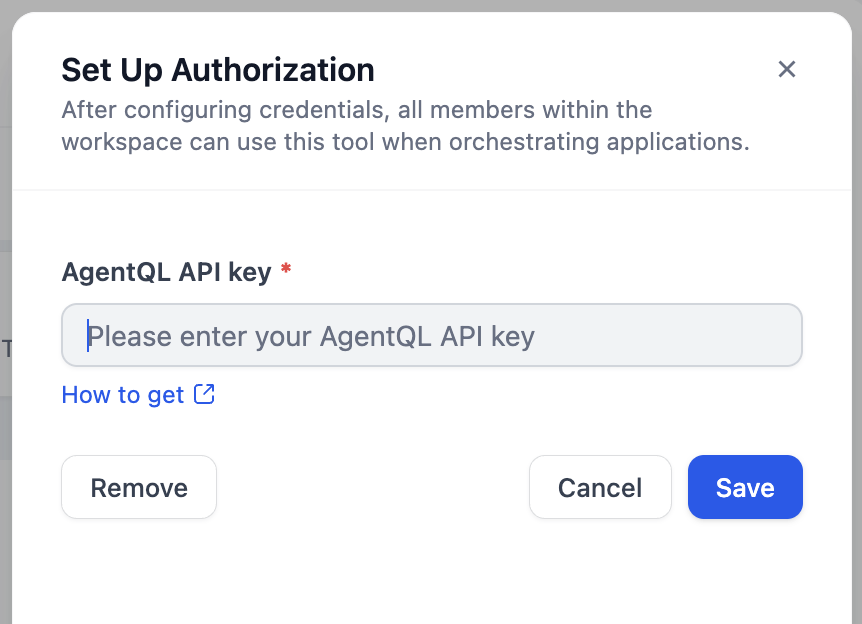
Authorize AgentQL
- Go to Plugins > AgentQL > To Authorize in Dify
- Input your API key
Workflow Usage
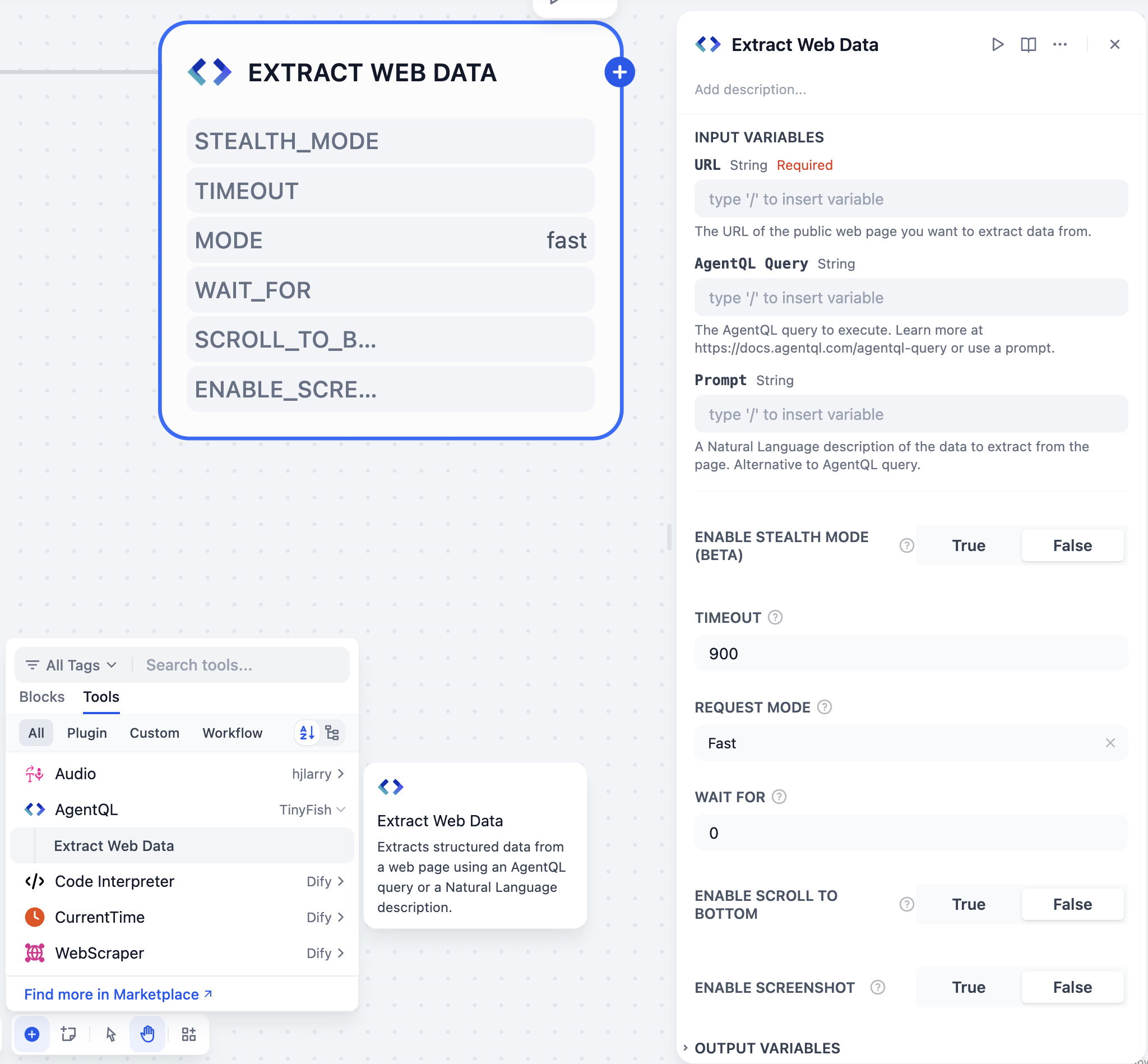
Integrate AgentQL into your pipeline by following these steps:
- Add AgentQL's Extract Web Data tool to your pipeline
- Configure input variables in the tool's UI
- Run the pipeline to extract web page data
Query Methods
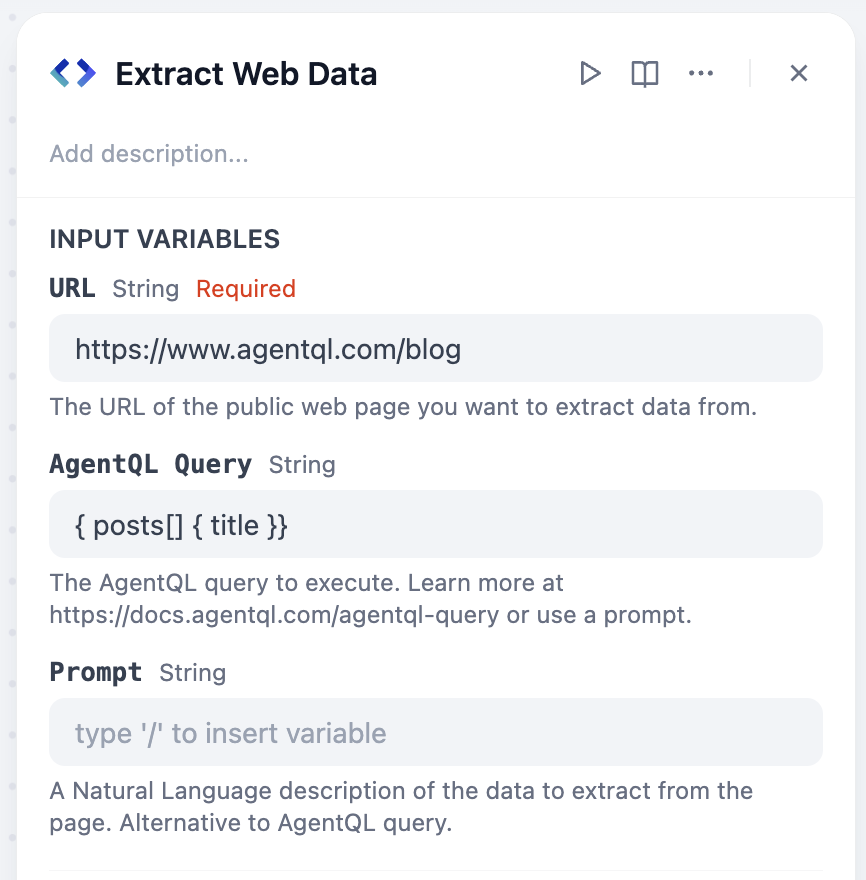
Using AgentQL query language:
Using Natural Language:
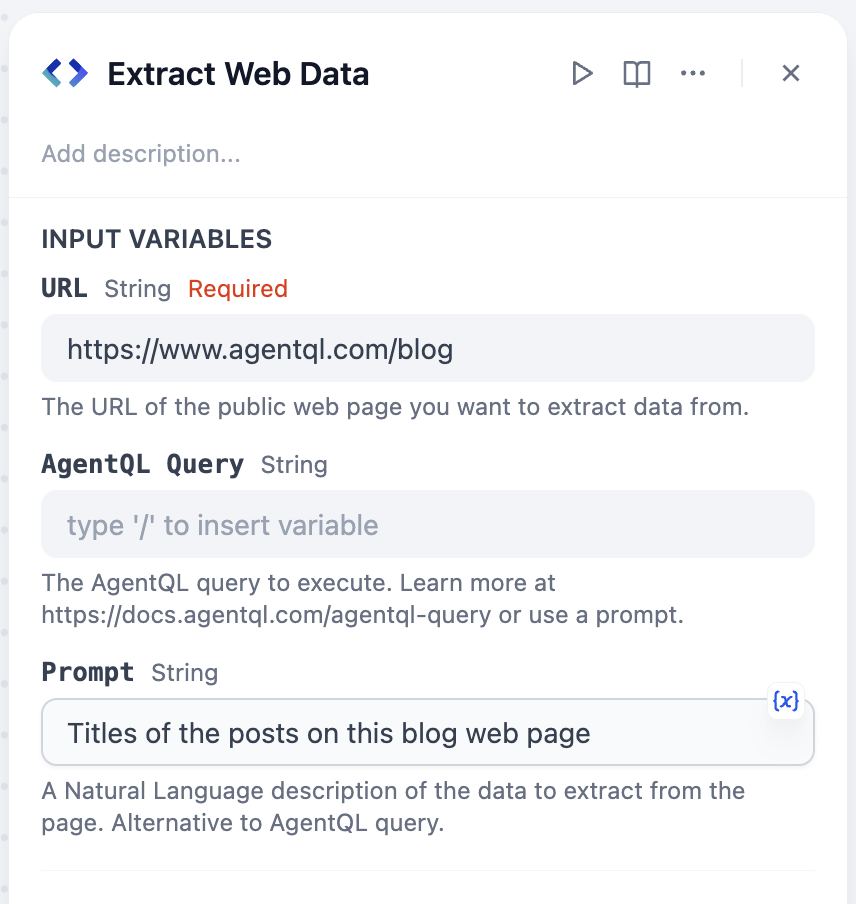
Note: You must provide either or . If both are provided, takes precedence:
- Use if you want to extract data in a structure you define.
- Use if you want to extract data in a structure AgentQL infers from your Natural Language description.
Agent Usage
- Add AgentQL's Extract Web Data tool to your Agent app
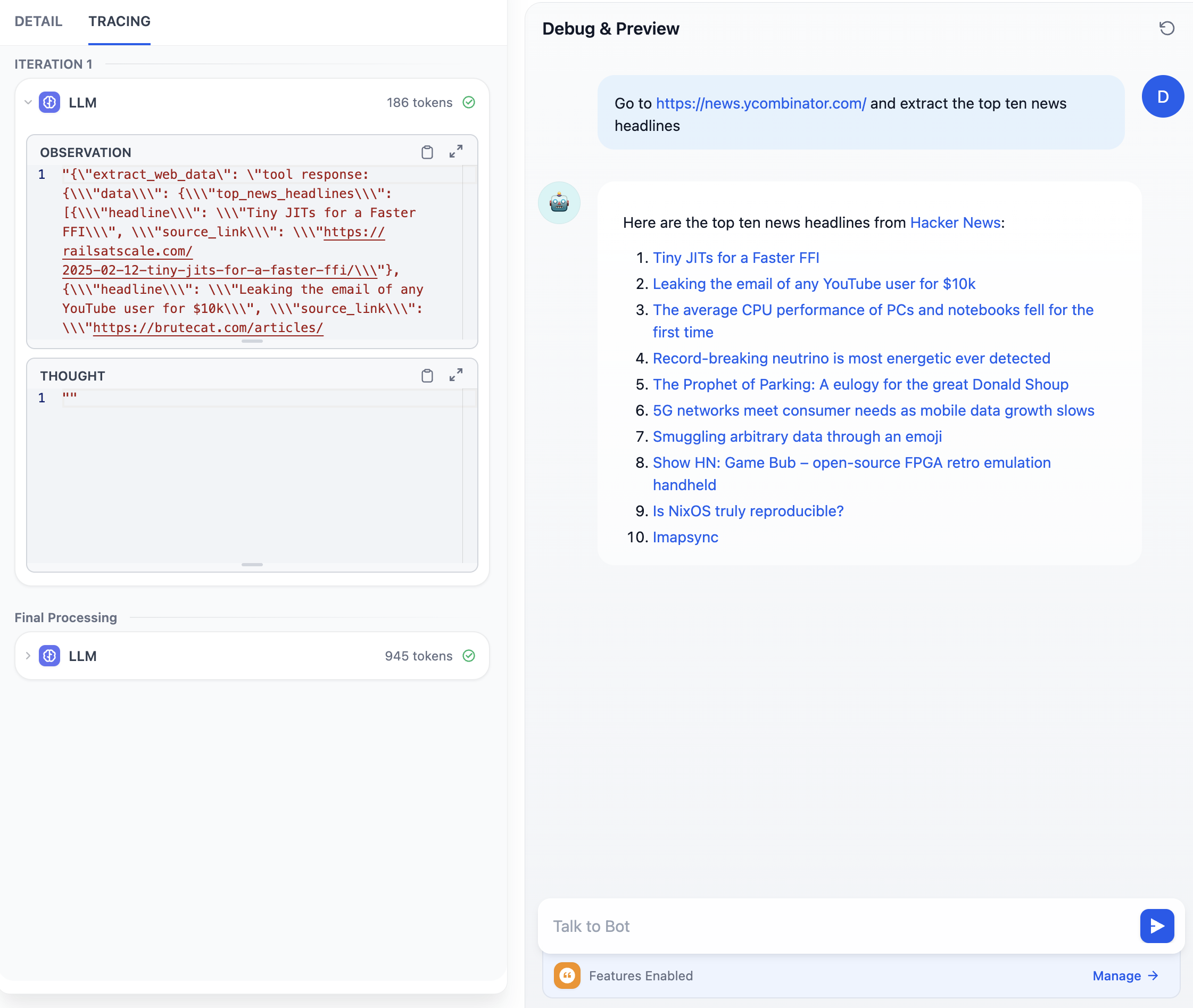
- Prompt the Agent to extract data from a web page with either an AgentQL query or a Natural Language prompt:
- Using AgentQL query: "Extract the data from https://www.agentql.com/blog using the following agentql query: { posts[] { title author }}"
- Using Natural Language: "Extract the blog posts title and author from https://www.agentql.com/blog"
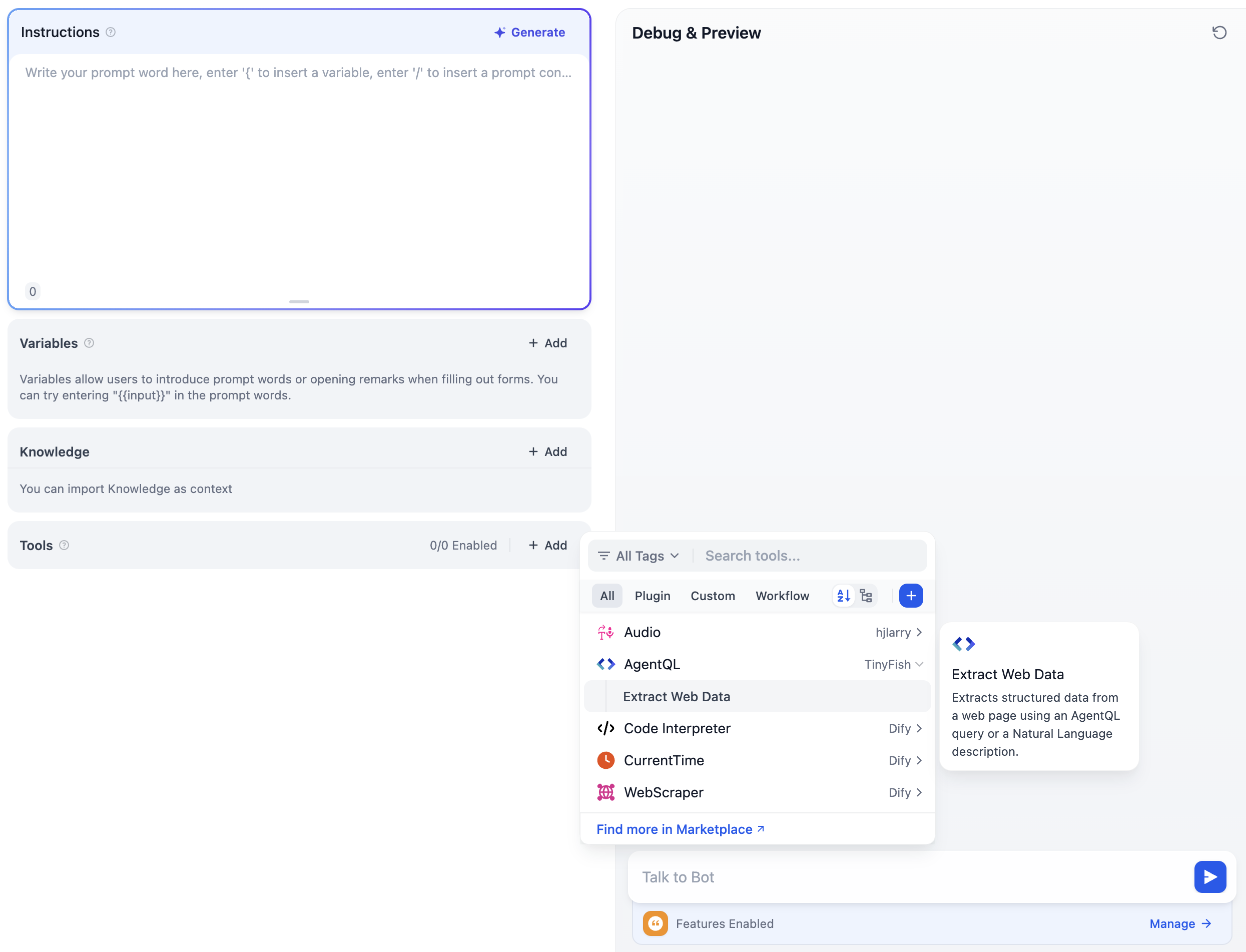
Example:
CATEGORY
Tool
VERSION
1.0.0
jayfish0·06/30/2025 03:35 AM
REQUIREMENTS
Maximum memory
1MB