

Bing
0.0.5
Bing Search
langgenius/bing0 installs
Bing
Overview
The Bing search tool can help you obtain online search results when using LLM applications. Below are the steps to configure and use the Bing search tool in Dify.
Configuration
1. Apply for Bing API Key
Please apply for an API Key on the Azure platform.
2. Get Azure tools from Plugin Marketplace
The Bing tools could be found at the Plugin Marketplace, please install it.
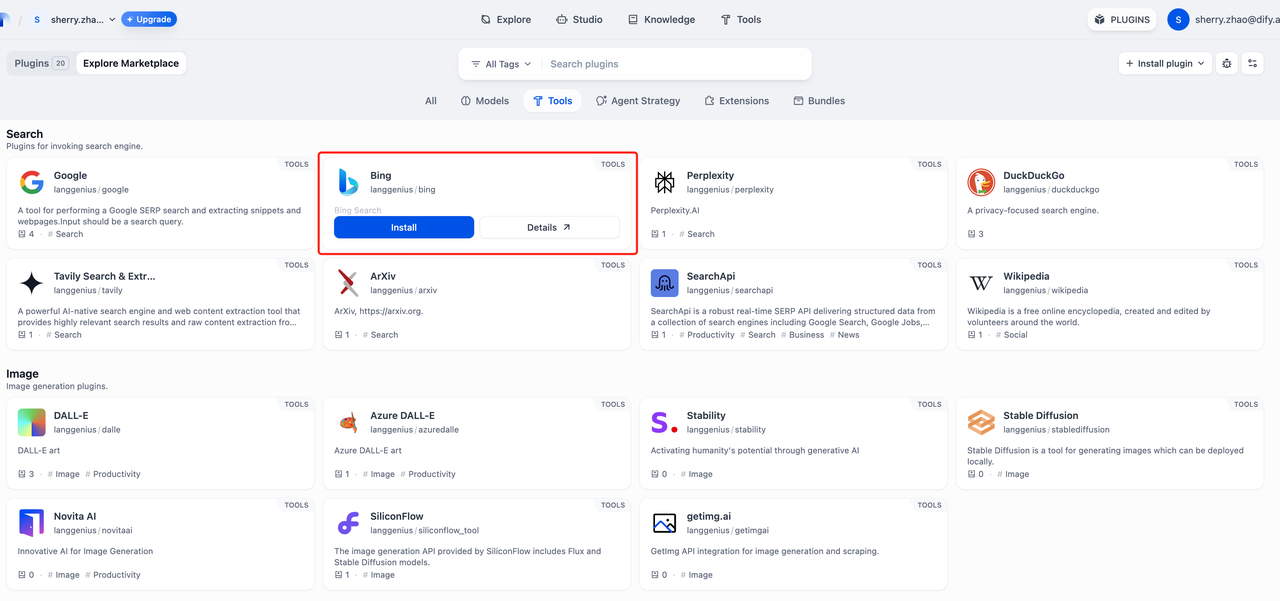
3. Fill in the configuration in Dify
On the Dify navigation page, click Tools > Azure > Authorize to fill in the API Key.
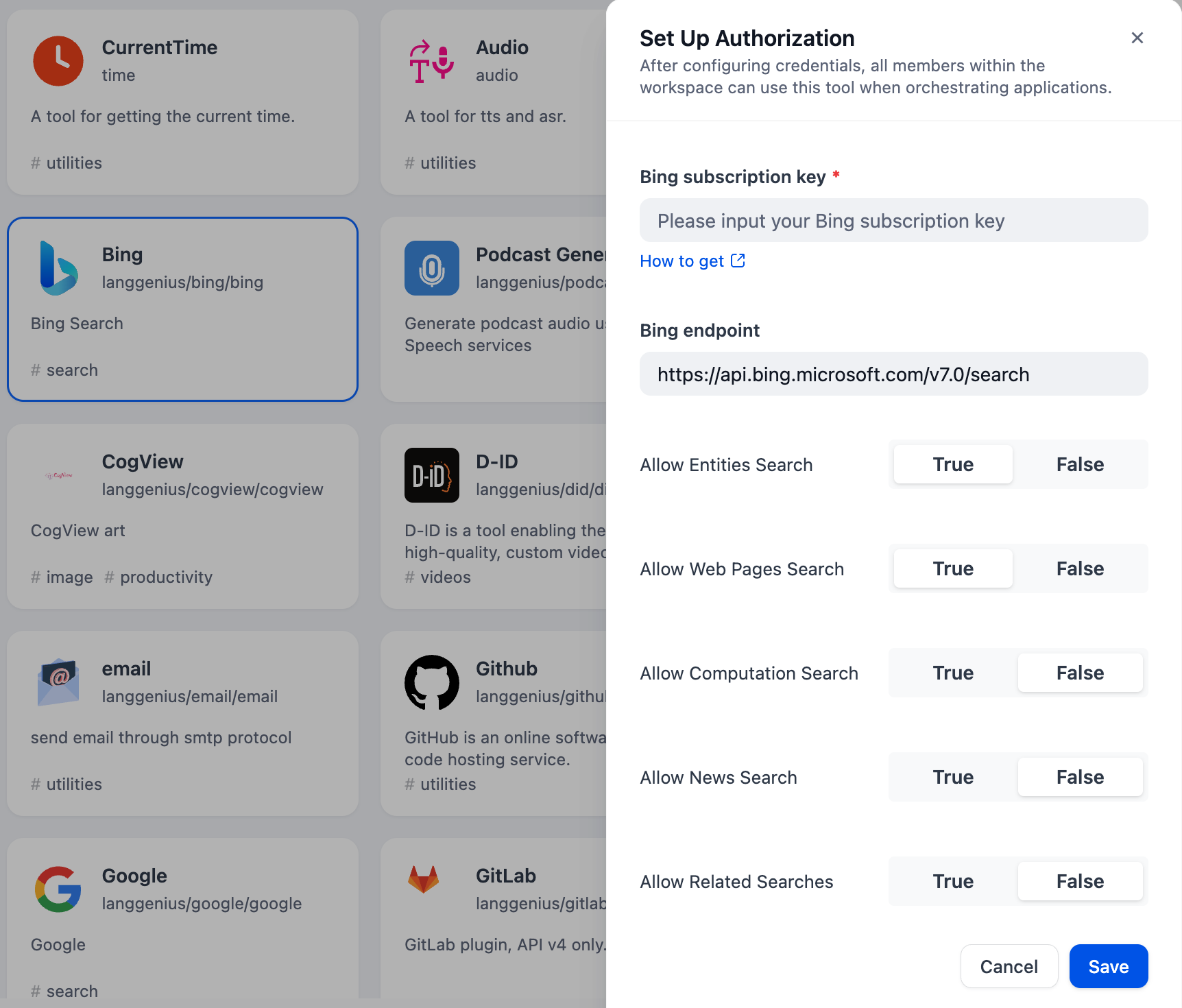
4. Use the tool
You can use the Bing tool in the following application types.
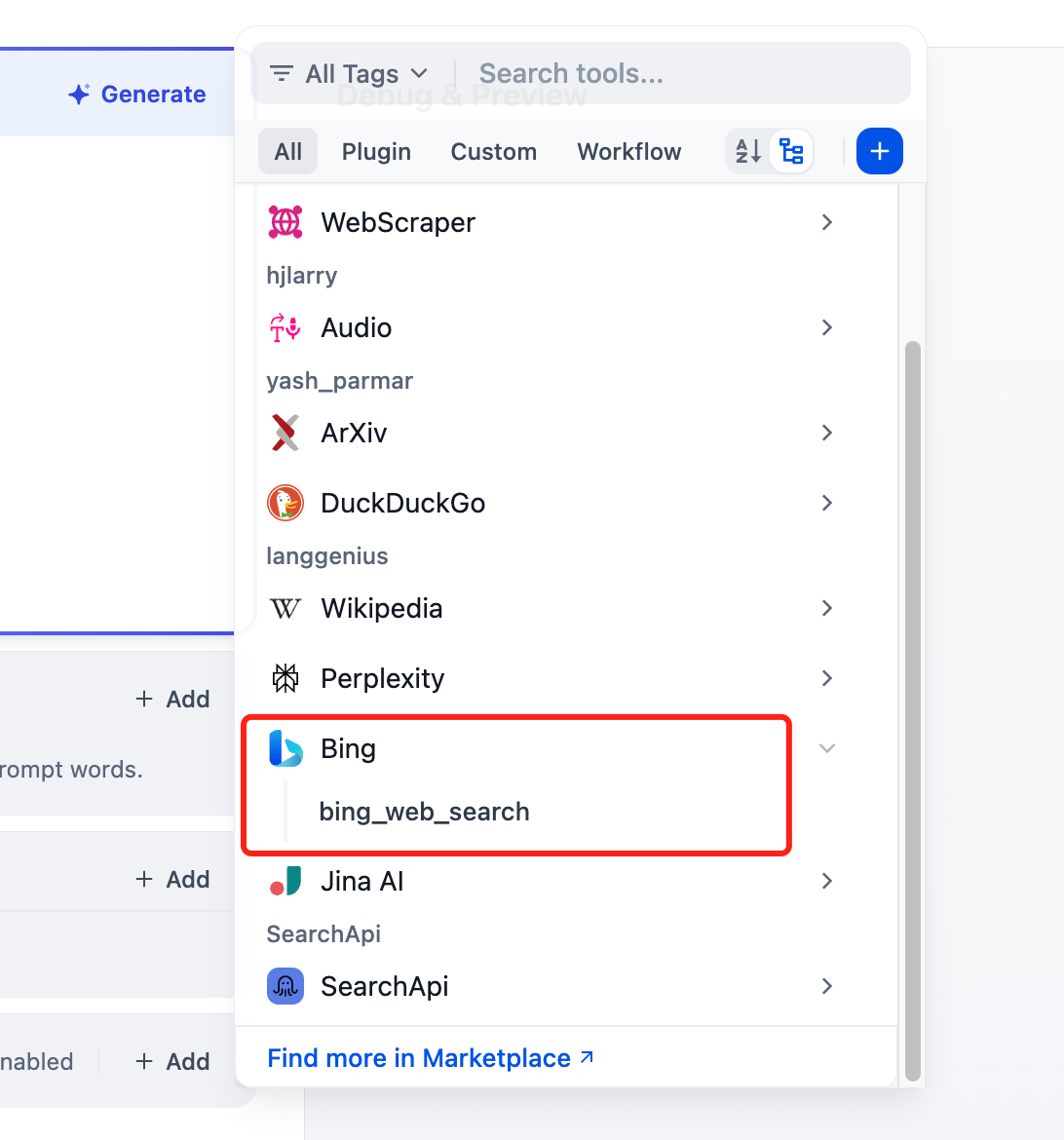
Chatflow / Workflow applications
Both Chatflow and Workflow applications support adding Bing tool nodes.
Agent applications
Add the Bing tool in the Agent application, then enter the online search command to call this tool.
CATEGORY
Tool
VERSION
0.0.5
langgenius·09/30/2025 09:18 AM
REQUIREMENTS
LLM invocation
Tool invocation
Maximum memory
1MB